SkoolPath is a complete School Bus Tracking & Student Safety System built using Flutter for Android & iOS, with a powerful Laravel/Firebase backend. It helps schools track buses in real-time, manage routes, monitor drivers, and notify parents instantly with accurate ETA updates.
Whether you’re a developer, school, or transport company, SkoolPath gives you a ready-made, production-grade mobility platform.

Demo Credentials
Key Features
Real-Time Bus Tracking
- Live GPS tracking (Google Maps)
- Smooth animated bus marker
- Accurate heading & speed
- Background location updates (Android / iOS)
Instant Notifications
- Parent pickup alerts
- Bus approaching notification
- Trip start/stop alerts
- Custom school announcements
- FCM with device-based token management
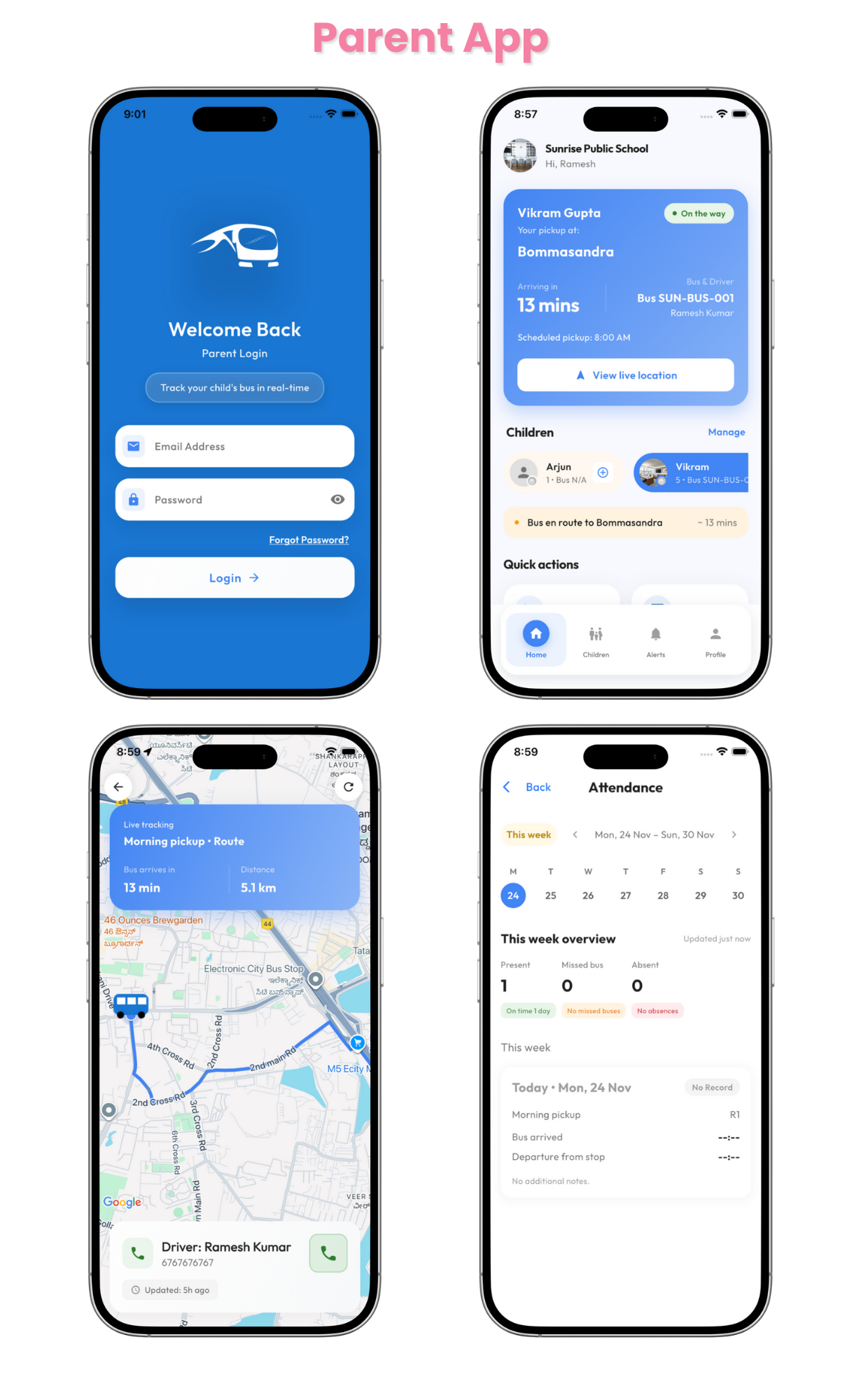
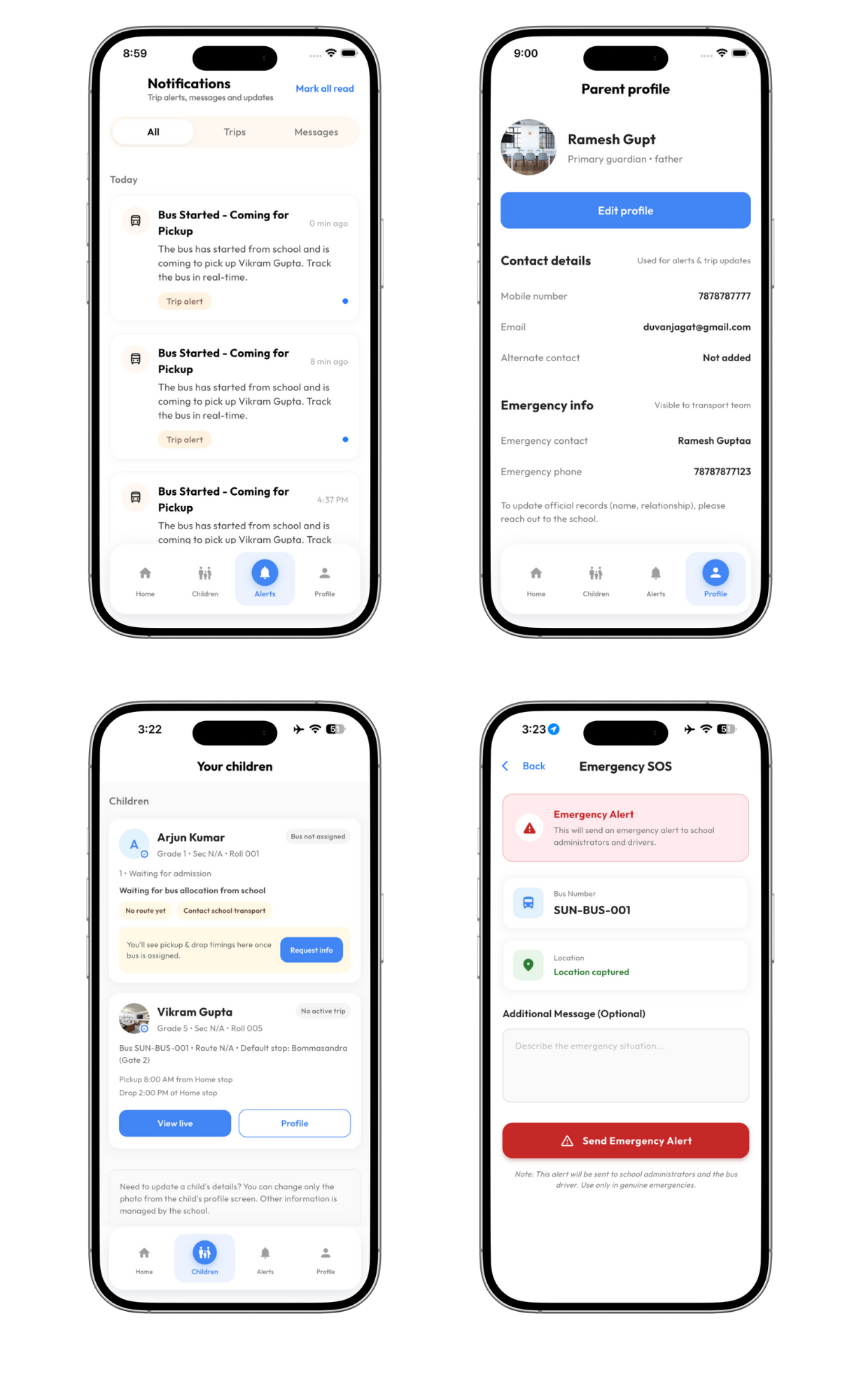
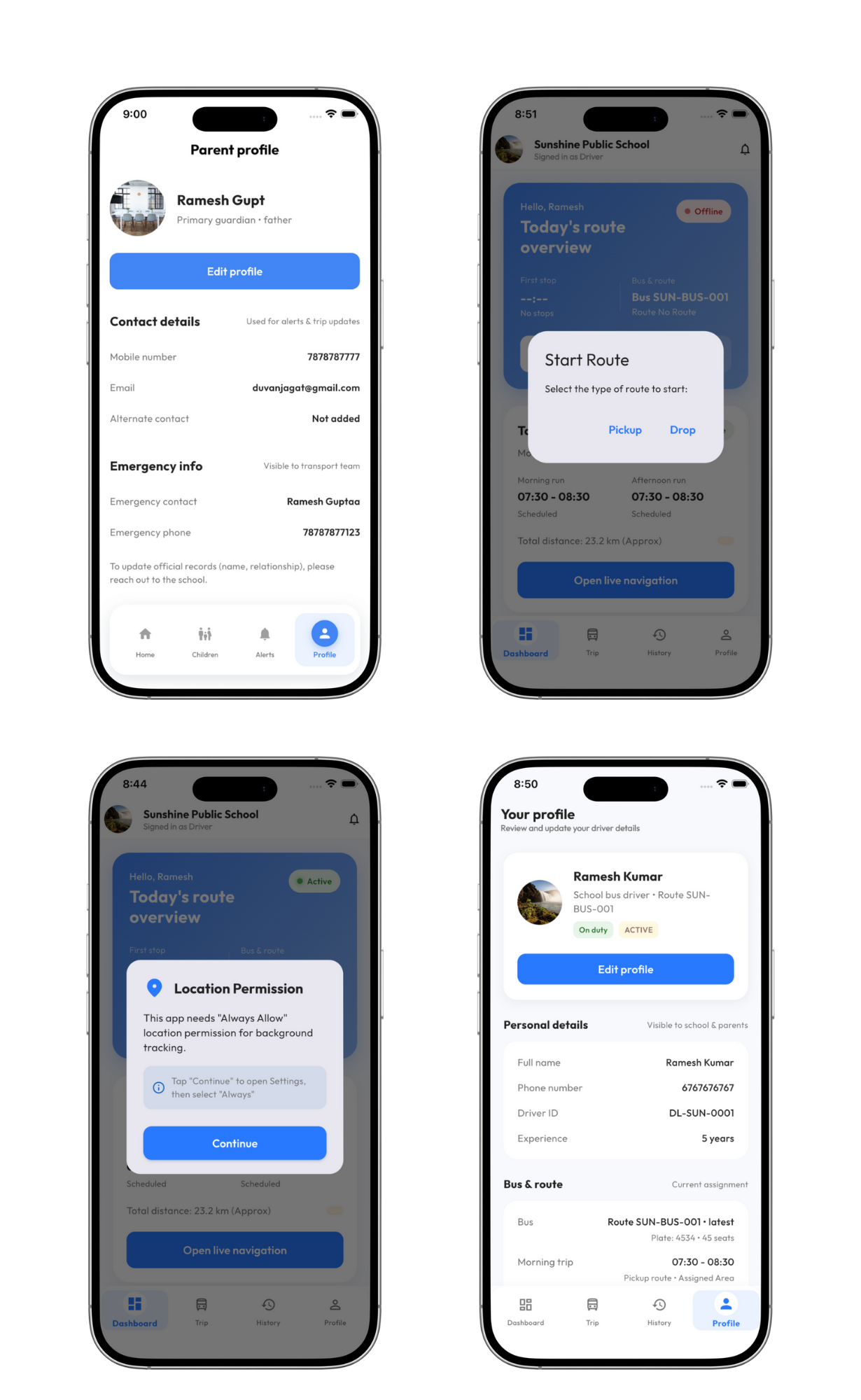
Parent App Features
- Live bus location
- ETA for their child’s stop
- Driver details & bus info
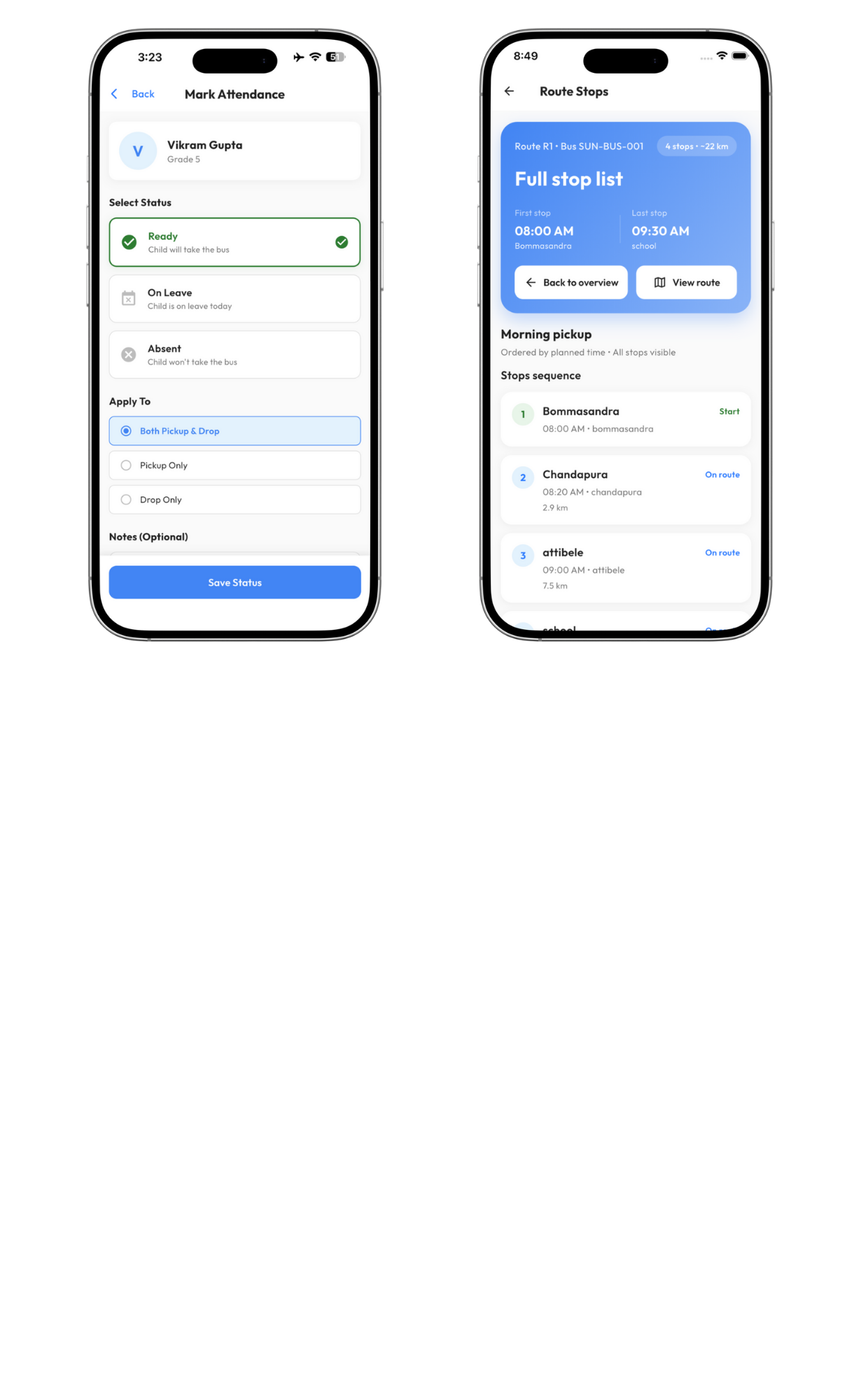
- Stop-wise timetable
- Emergency SOS button
- Notification history
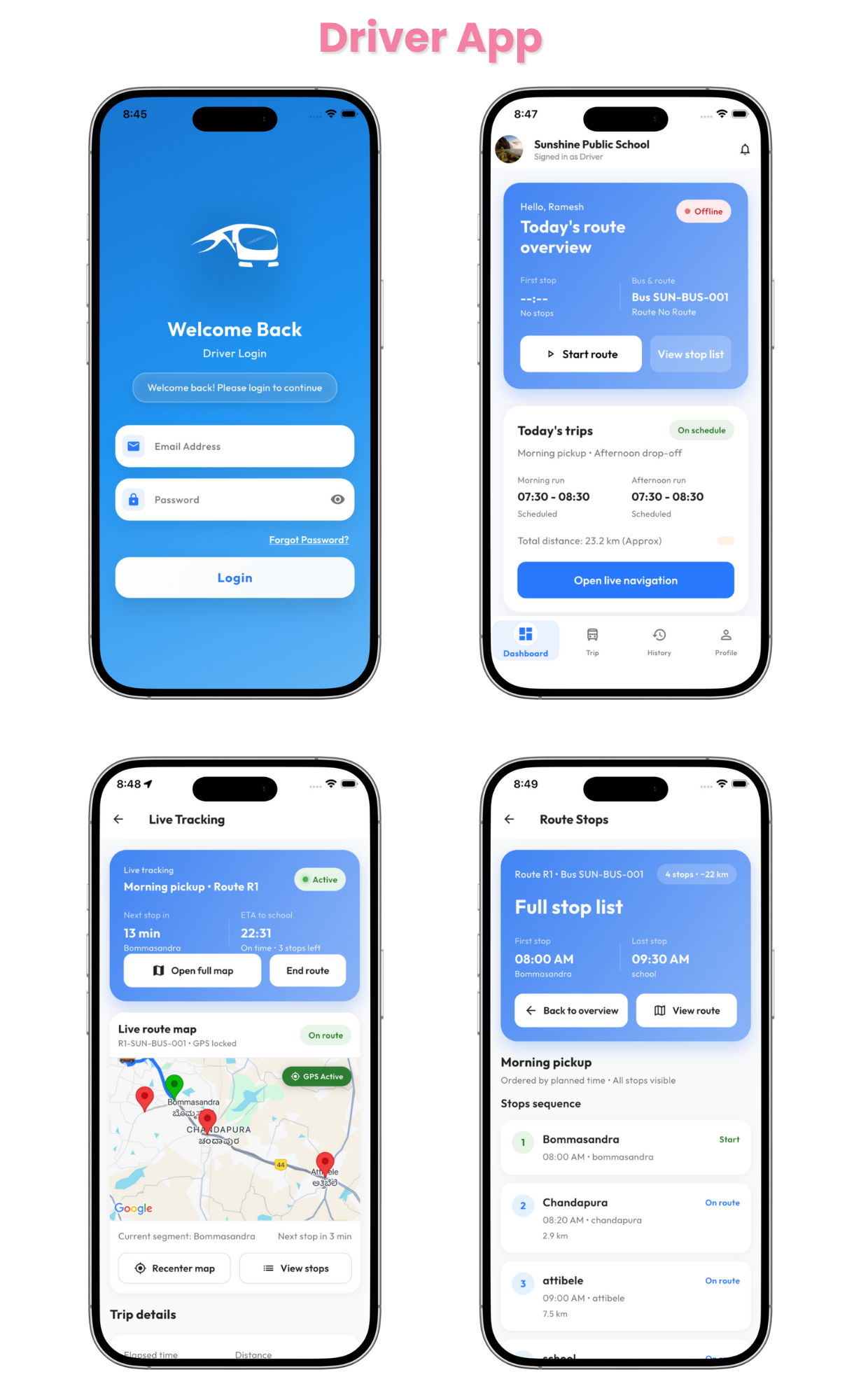
Driver App Features
- Start / Stop trip
- Route selection
- Attendance marking (optional)
- Auto background tracking
- Offline fallback support
School Admin Panel
- Manage schools
- Driver management
- Bus management
- Route + stops management
- Assign drivers to buses
- Real-time fleet dashboard
- Trip history & reports
Super Admin Panel
- Create schools
- Set subscriptions
- Manage all schools, buses & drivers
- Usage analytics
- Global settings
Technology Stack
- Flutter 3.x
- Firebase (Auth, Firestore, FCM)
- Laravel / Node (Optional backend alternative)
- Google Maps / OSM
- REST APIs + WebSockets support
- Clean MVVM architecture
What You Get
- Full Flutter source code
- Driver App + Parent App
- Admin Panel source code
- Firebase configuration guide
- Complete setup guide
- Free updates
Why Choose SkoolPath?
- Production-ready mobile apps
- Supports unlimited schools, drivers, and parents
- Designed for safety and reliability
- Handles real-world routing scenarios
- Easy customization
- Perfect for SaaS, white-label, or individual school deployments
Included Documentation
- How to install Flutter
- Firebase setup
- Google Maps API configuration
- Change app name, package name & logo
- How to build for iOS & Android
- Play Store / App Store upload guide
- Troubleshooting
Changelog
v1.0.0 – Initial Release
- Full Parent App
- Full Driver App
- Admin Panel
- Real-time tracking engine
- Notifications + ETA logic
- Complete documentation
Requirements
- Flutter 3.x
- Firebase account
- Google Maps API keys
- Basic server & mobile app knowledge